
Delete Your Ayudame Account
Your Ayudame account is managed in the Ayudame mobile app for iOS and Android. You can permanently delete your account and personal data at any time by following the steps below.
How to delete your account in the app
- 1
Open Account Settings
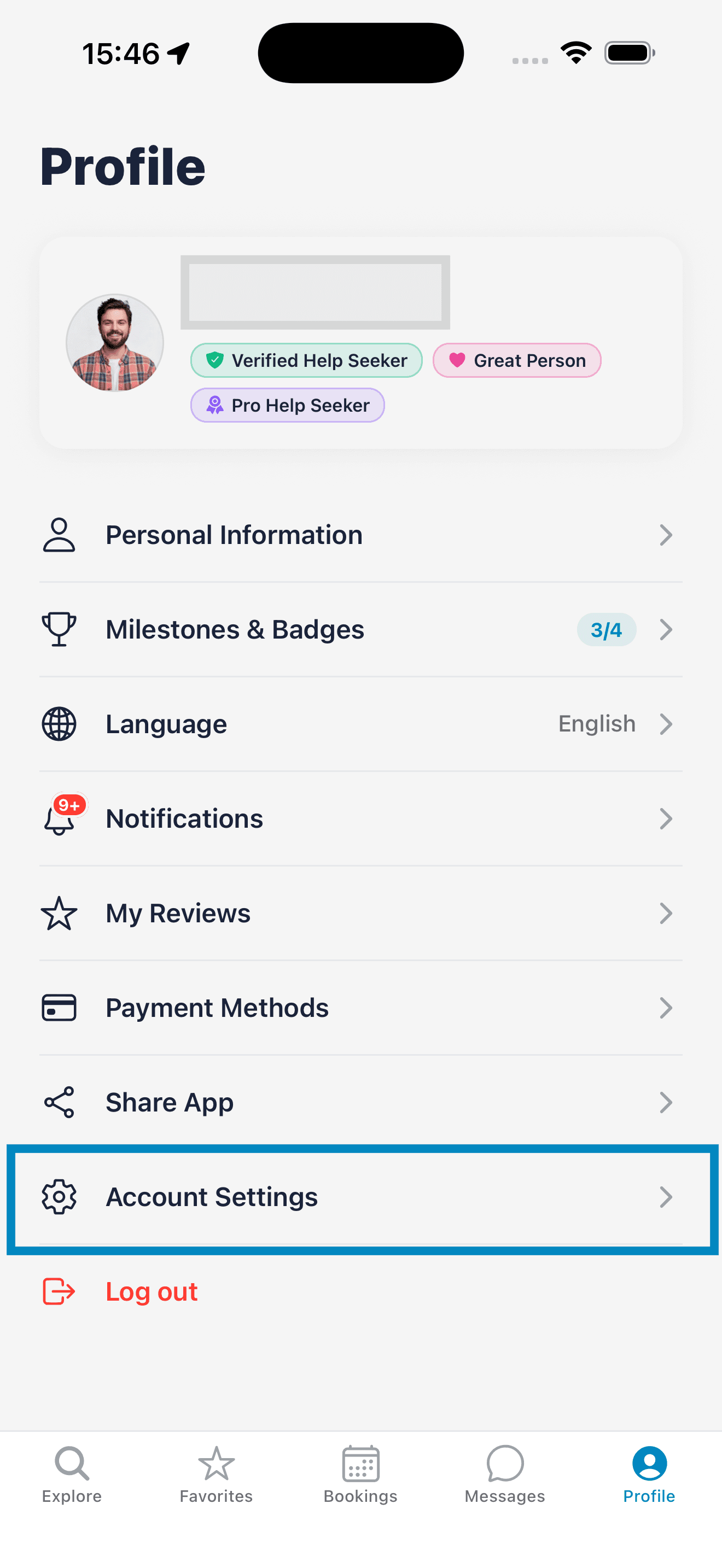
Open the Ayudame app, tap the Profile tab, then tap Account Settings.
- 2
Tap Delete Account
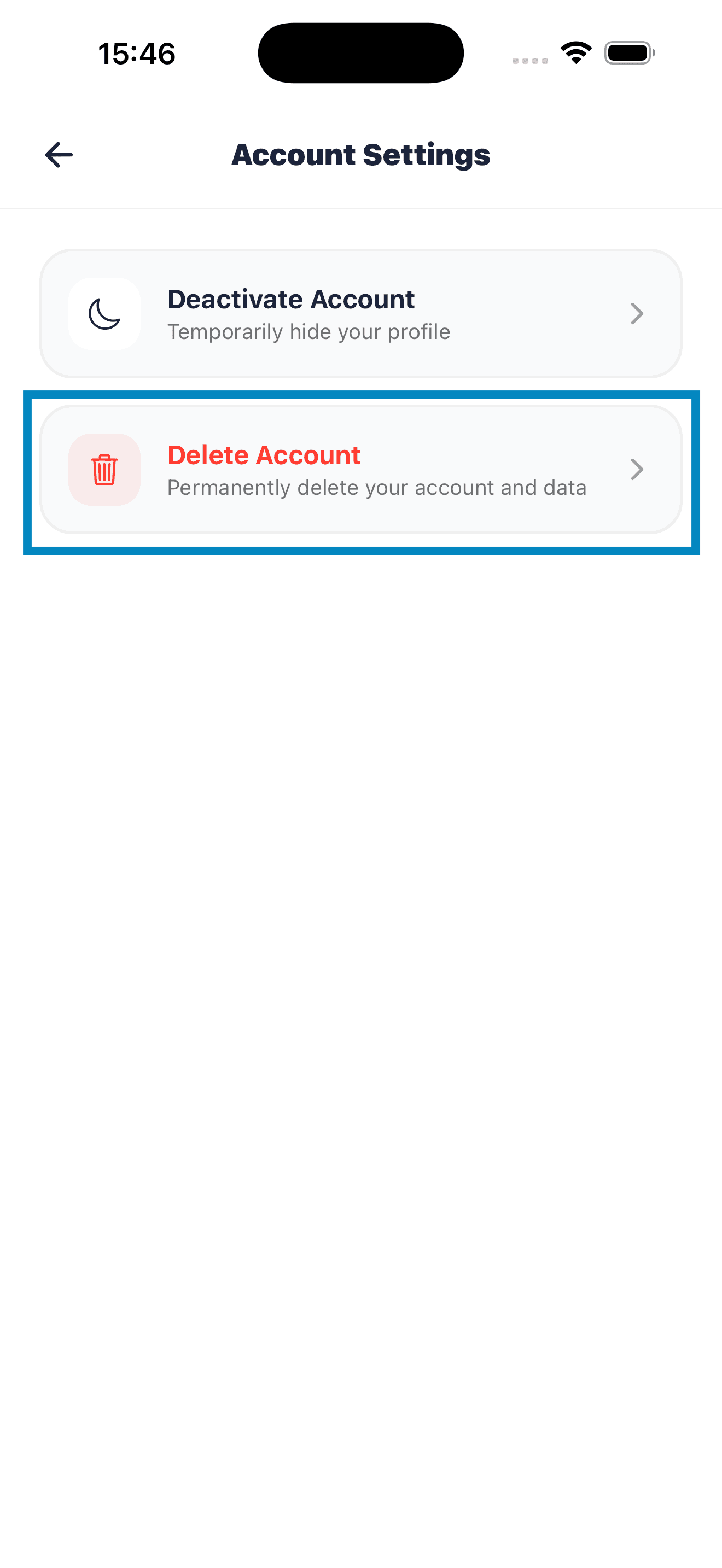
On the Account Settings screen, tap Delete Account.
- 3
Confirm the deletion
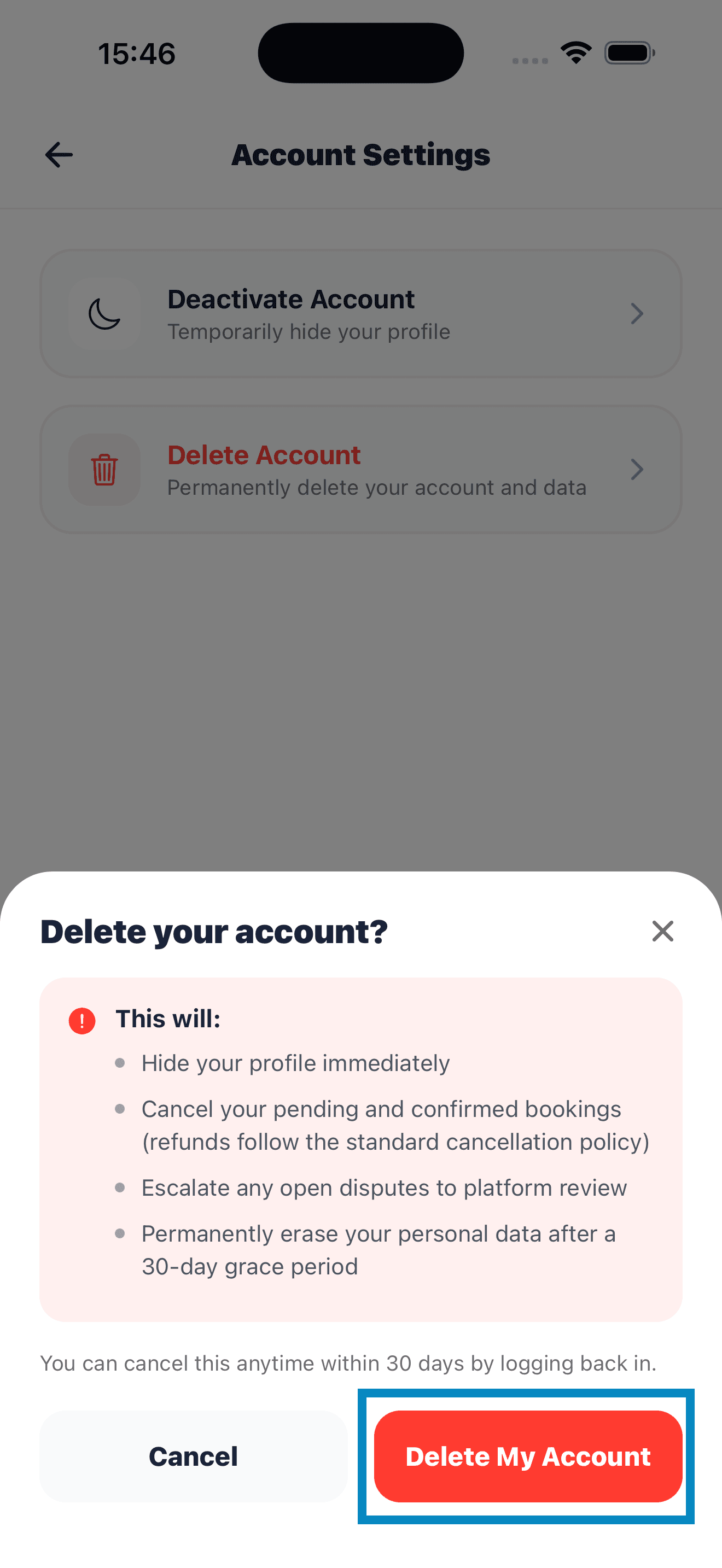
Review what will happen to your account, then tap Delete My Account.
- 4
Your account is scheduled for deletion
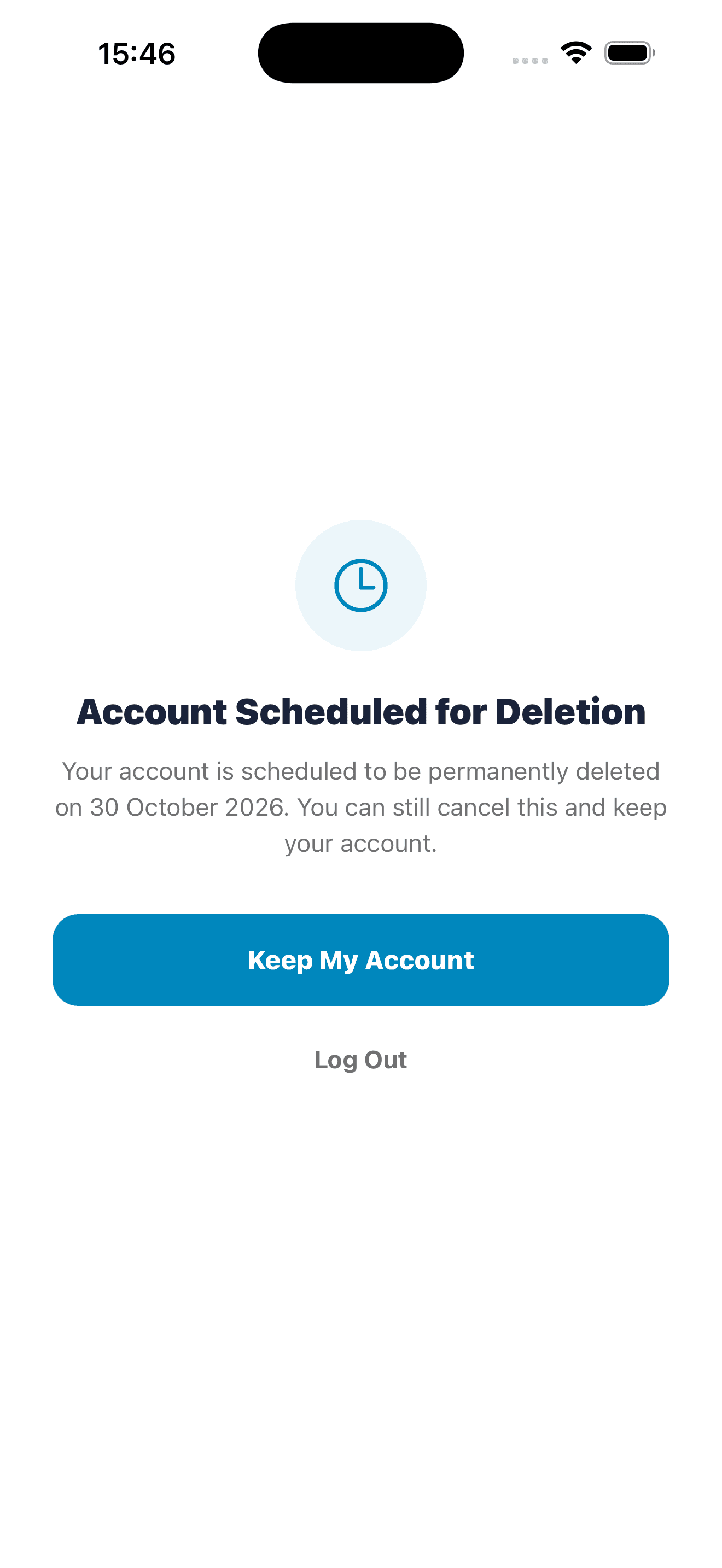
Your account will be permanently deleted after 30 days. Until then, you can log back in and tap Keep My Account to cancel.
What happens when you delete your account
- Your profile is hidden immediately.
- Your pending and confirmed bookings are cancelled. Refunds follow the standard cancellation policy.
- Any open disputes are escalated to platform review.
- Your personal data is permanently erased after a 30-day grace period.
- You can cancel the deletion at any time during the 30 days by logging back in.
Data we may keep
We may keep limited records after your account is deleted where we are legally required to, such as payment and transaction records for tax and accounting purposes, or information needed to resolve an open dispute.
Can't access the app?
If you no longer have the app installed or can't sign in, email us from the address linked to your Ayudame account and ask us to delete it. We'll verify your request and process the deletion. Email: contact@ayudameapp.com
Just need a break?
Instead of deleting your account, you can choose Deactivate Account in Account Settings to temporarily hide your profile.